

Plan a layout that will actually build.
Gauge Buddy is a native Mac app for designing model railways accurately in 2D. Real manufacturers' track, true flexible track, scenery at real sizes, and checks that tell you when a plan will not fit, before you buy a single piece.
Download on the Mac App StoreRequires macOS 15 or later.
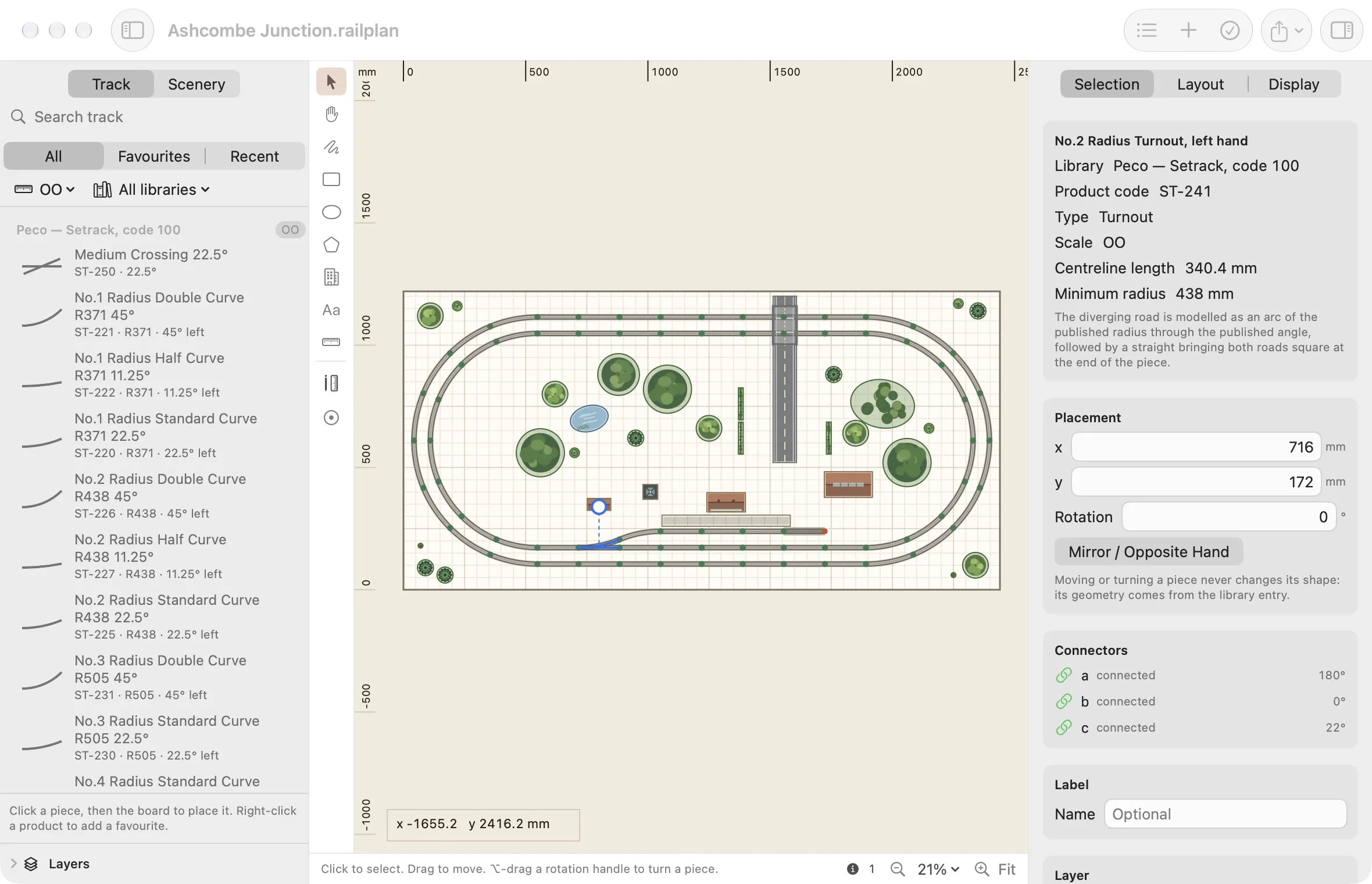
Exact, never nudged
An accepted snap puts two connectors together exactly. If the pieces cannot honestly be joined, the app refuses and tells you why.
Real track, real figures
Thirteen track systems from Peco and Kato, transcribed from published specifications, covering Z, N, TT, HO, OO and O.
Your files, on your Mac
No account, no cloud, no telemetry. A layout is a file on your disk that you can copy, back up and share like any other.
Track libraries
The track you can actually buy
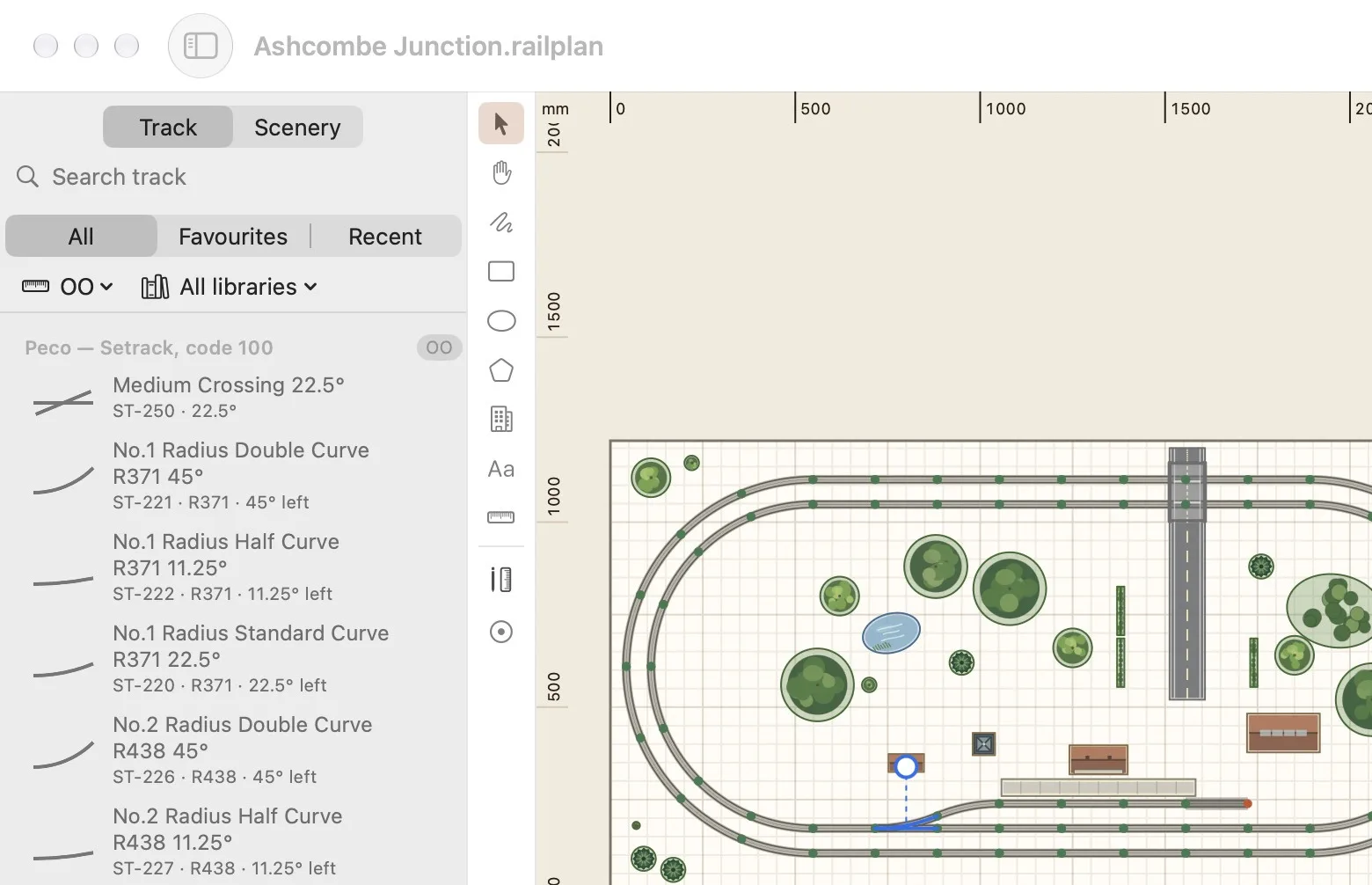
Browse by scale and by system, search by name or product code, and keep favourites and recent pieces to hand. Rest the pointer on a piece to see its figures, what it joins to and how many of a curve make a circle.
- Z
- N
- TT
- HO
- OO
- O
Scenery
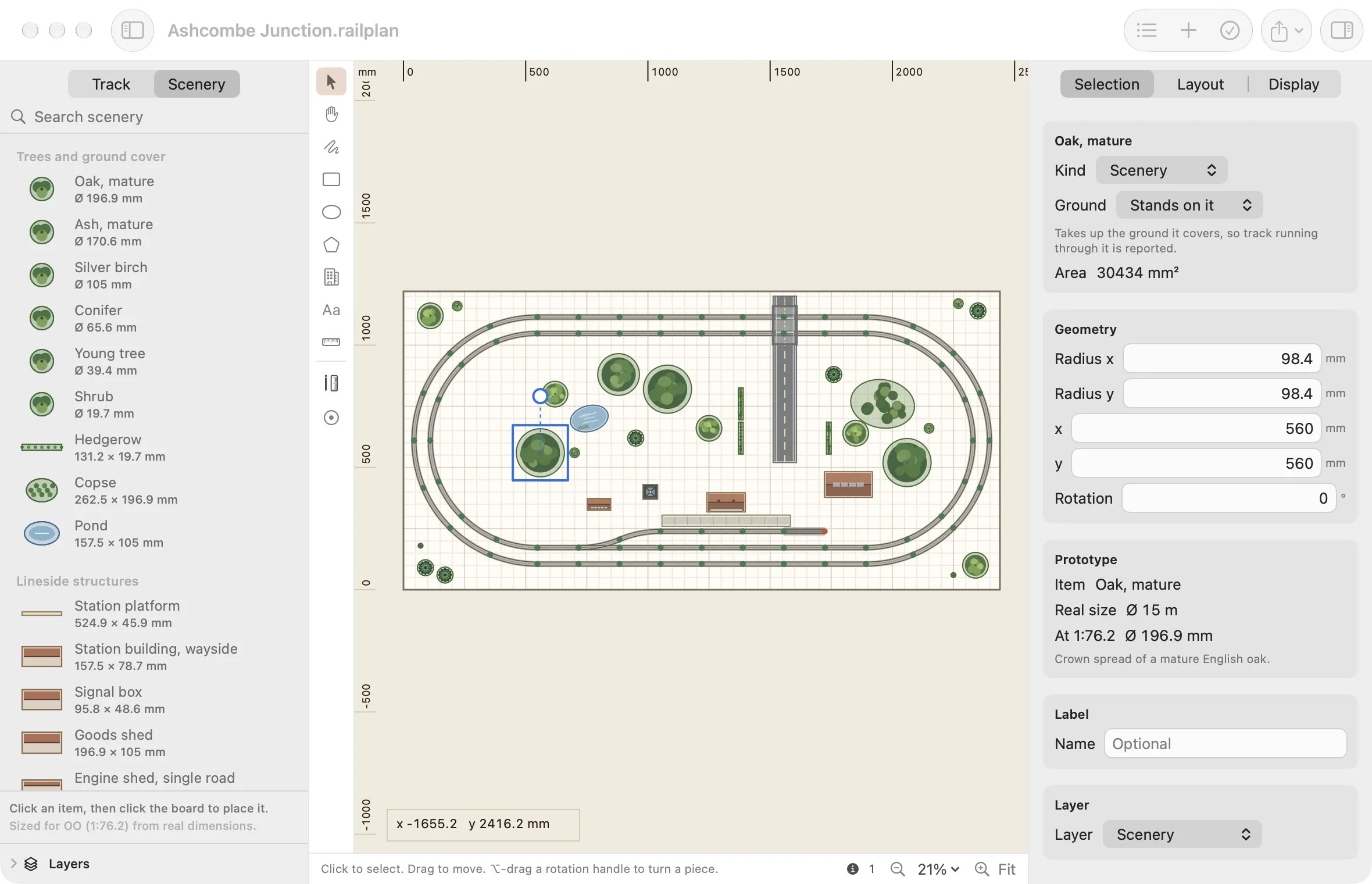
An oak is 196.9 mm across in OO
The scenery catalogue stores real-world dimensions and divides by your layout's scale when you place something. The same oak is 196.9 mm in OO and 101.4 mm in N; a 24 ft by 12 ft signal box is the size a signal box should be.
Every entry says what its figure is based on, and everything can be resized once placed.
Validation
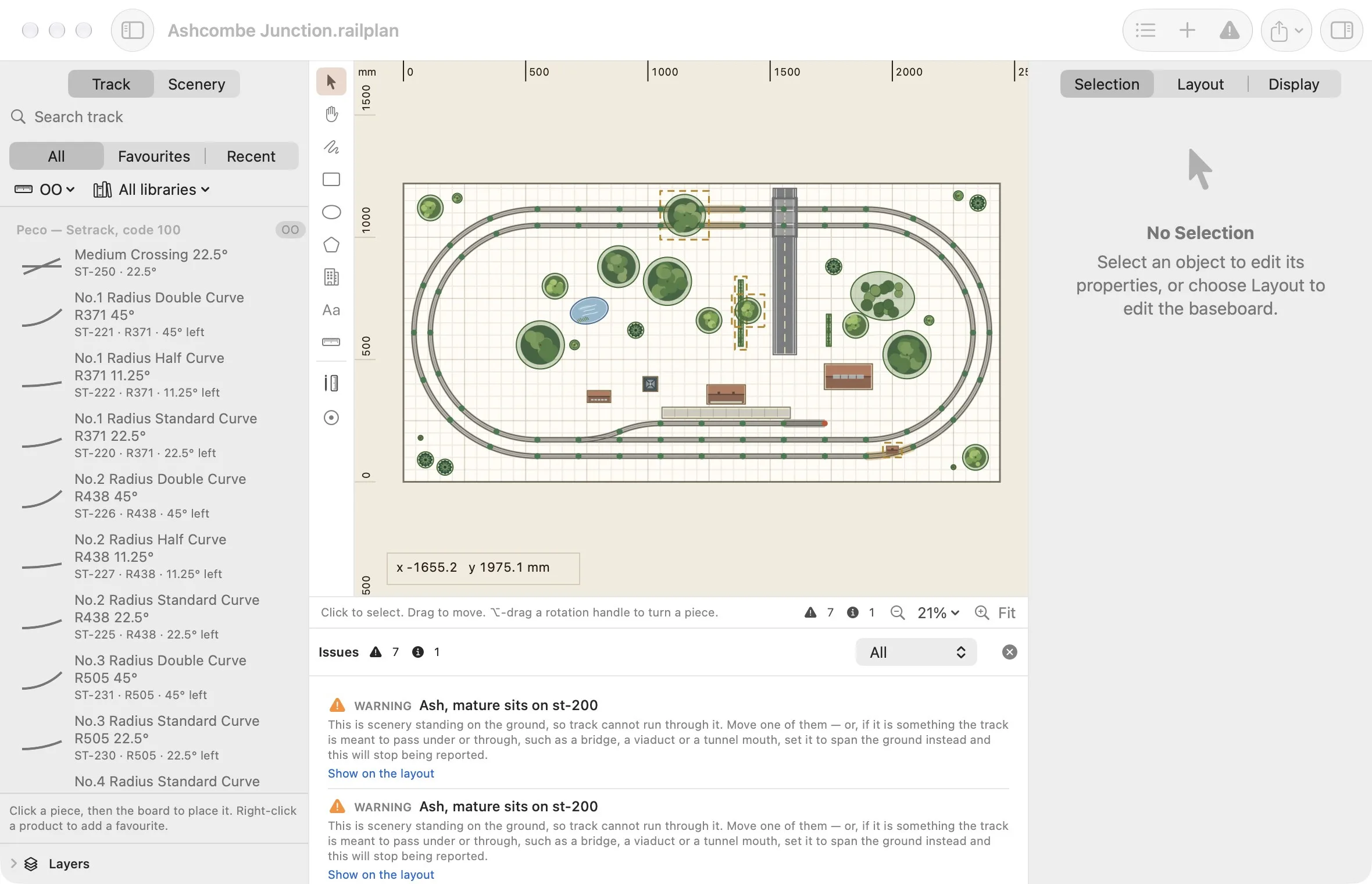
Find the problem on screen, not on the baseboard
Gauge Buddy checks the plan as you work: loose ends, mismatched gauges, curves tighter than your minimum radius, track running through a building, boards that do not fit the room. Each issue is explained in plain language and points at the object concerned.
Print and export
From the screen to the workbench
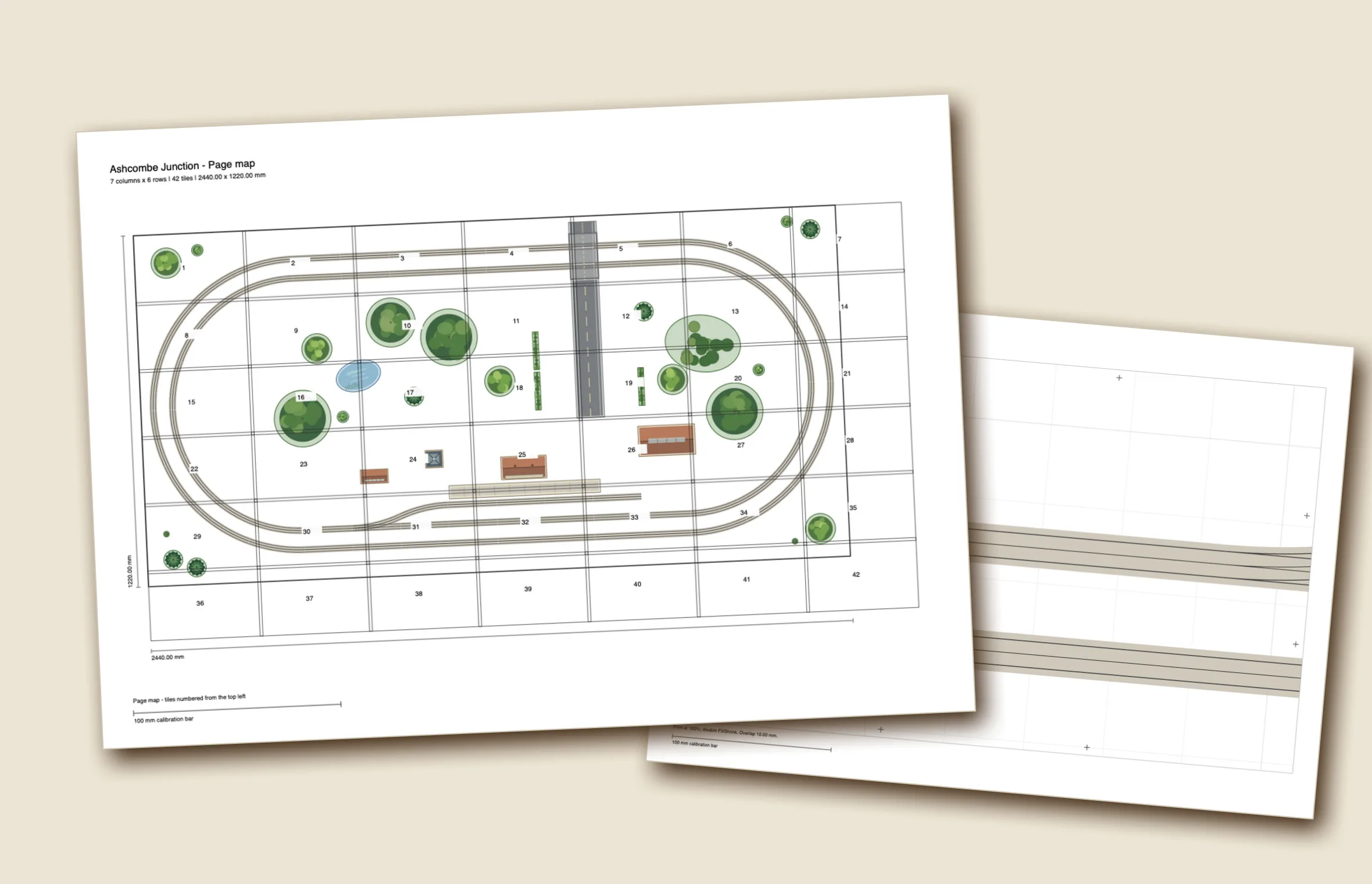
Print the plan at 1:1 across numbered tiles with a page map, overlap and registration marks, then lay the paper on the board. Export vector PDF, SVG and PNG, and a CSV parts list to take shopping.
Everything a plan needs
Beyond laying track, Gauge Buddy handles the rest of the job of planning a layout.
True flexible track
Draw flexible runs and curve them by hand, or construct them: tangent curves between two ends, parallel tracks at an exact spacing, splits, trims and joins.
Baseboards and rooms
Build the board from named modules with polygon outlines and cutouts. Add the room, its doors and fixed obstacles, and see which parts of the board you can reach.
Layers, groups and assemblies
Organise with layers and named groups, select a whole connected run in one step, and save a station throat or fiddle yard to reuse in another layout.
Inventory and purchasing
Record the track you already own, pack sizes and prices. Get a shopping list that accounts for flexible track cuts and offcuts.
References and dimensions
Trace over a calibrated image or PDF page, and add length, angle and radius dimensions that appear in every export.
A proper Mac app
Native windows, menus, undo and printing. Light and dark appearance, a keyboard-navigable canvas, and support for Increase Contrast and Reduce Transparency.
Bundled track systems
Every supported scale ships with at least one real library, and you can import your own.
| Scale | Systems included |
|---|---|
| Z | Peco Streamline |
| N | Kato Unitrack · Peco Setrack · Peco Streamline (code 80 and code 55) |
| TT | Peco Streamline |
| HO | Peco Streamline |
| OO | Peco Setrack · Peco Streamline (code 100 and code 75) |
| O | Peco Setrack · Peco Streamline (including flat-bottom code 143) |
Start planning tonight.
One Mac app. No account, no cloud, nothing to set up.
Download on the Mac App StoreRequires macOS 15 or later.